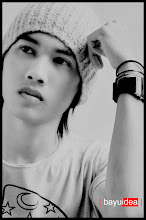
I made this image based on the original photo I was looking on google, by turning it into this kind may become more attractive.
And I made a short tutorial for you lovers of design, especially for those of you a beginner.
Good luck.
Final Image
Step 1
Open an image that will be edited.
Buka gambar yang akan di edit.
Step 2
Make a new layer, then use the Elliptical Marque Tool, For making a circle.
Then give the white color, then remove the center circle.
Buatlah layer baru, lalu gunakan Elliptical Marque Tool, Untuk membuat lingkaran.
Lalu beri warna putih, setelah itu hapus bagian tengah lingkaran.

Step 3
Then input new images, Delete parts of the excessive,
Put in the middle of the middle circle we have made previously.
Lalu masukan gambar tambahan, Hapus bagian yang berlebihan,
Letakan di tengah tengah lingkaranyang telah kita buat sebelumnya.
Step 4
additional images next input, then replace the normal screen.
masukan gambar tambahan berikutnya, lalu normal di ganti screen.

Final Image
Minggu, 30 Mei 2010
Photo Manipulation make the world in the grip of by BayuIdea
Making of Broken Glass Eye By BayuIdea
I made this image based on the original photo I was looking on google, by turning it into this kind may become more attractive.
And I made a short tutorial for you lovers of design, especially for those of you a beginner.
Good luck.
Final Image
Step 1
First of all open images to be edited,
then create a new layer and use a brush-Broken Glass, by using the color white.
and remove the excess brush.
Pertama tama buka gambar yang akan di edit,
lalu buat layer baru dan gunakan brush Broken-Glass, dengan menggunakan warna putih.
dan hapus bagian brush yang berlebihan.

Step 2
back to bageround, use the tool (Dodge tool),
to illuminate the facades that are in the circle of glass eyes
kembali ke bageround, gunakan tool ( Dodge tool ),
untuk menerangi bagian muka yang berada dalam lingkaran kaca mata.
Step 3
Enter Figure broken glass, then replaced with a screen to normal.
Masukan Gambar kaca pecah,Lalu normal di ganti dengan screen.

Step 4
Finally, a new layer above Make bageround image, use the brush Blood.
Terakhir, Buatlah layer baru di atas gambar bageround, gunakan brush Darah.
Final Image